
- Thread Author
- #1
Installing a ready-made DEDNET RP / State 99 RP server build for RAGE:MP
nstalling and running the server:
Please note! To run this build you must have installed: NodeJS.
Download -
You must be registered for see links
As well as a MySQL server, the recommended version is
You must be registered for see links
- Create a new database on our MySQL server and import the DN-RAGE-master\ file admin_rage.sql
- Next, we need to fill in the data for MySQL authorization, go into the file DN-RAGE-master\packages\dnet\modules\mysql.js and fill in our data:
JavaScript:
let host = 'localhost';
let dbuser = 'root';
let database = 'admin_rage';
let password = '123321';- The next step is to set up the development environment and then assemble the server together.
- Go to the folder with the server itself and execute these commands one by one (don't forget to install NodeJS):
-
Git:
npm install
cd src_client_package
npm install
npm run build
At this stage, we have already fully assembled the server itself + the client part, we just need to assemble the interface to the game mod and run it (you can choose the visual part of the interface from State 99 or Dednet, but keep in mind that there may be errors due to the lack of some files, here you are already chemizing).
- Go to the DN-RAGE-UI-master-fixed folder and execute these commands one by one (do not forget to install NodeJS):
Attention!
You can choose which interface (from which server) you will use, DN-RAGE-UI or STATE-RAGE-UI. - If you are using the original build. -
Git:
npm install
npm run build
(This step can be long, be patient and wait).
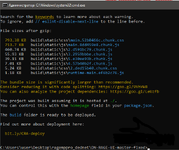
- After executing the commands from the previous step, if you did everything correctly and there were no problems, a new folder will appear in the folder - build (it contains the assembled server interface).
Also, at the end, the output should be something like in the screenshot.
- In the penultimate step, copy the contents of this new folder DN-RAGE-UI-master-fixed\build or STATE-RAGE-UI-master-fixed\build to the path:
DN-RAGE-master\client_packages\cef (that is, copy and replace it to the server folder itself).
Attention!
You can choose which interface (from which server) you will use, DN-RAGE-UI or STATE-RAGE-UI.
- The last step is to add the promo code to the database: "REGISTER", as it is not enough at the time of registering a new character, without specifying the promo code. To do this, run one SQL query into the database (or create it with pens):
SQL:INSERT INTO `promocode_top_list` (`id`, `promocode`, `start`, `end`, `is_one`, `is_use`) VALUES (1, 'REGISTER', '{"money":1000}', '{"money":25000}', 0, 0);- Start the server by double-clicking on DN-RAGE-master\server.exe and when the launch is successful, we see something like this (there should be no errors):
If you have errors - read the DISCUSSIONS tab, many of them have been discussed and solutions have been found.
 |
| - The final step is to download and place the DLC-pack for this server in the desired folder:
You must be registered for see links
 Give the admin panel in the database, the users table, columns admin_level and helper_level put 99.
Key to open the admin menu: 8 (not a numpad).