
- Thread Author
- #1
CodeWalker by dexyfex | GTA 5 3D Map Editor

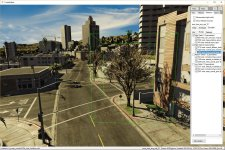

Attention! For the editor to work, you need to install GTA V andYou must be registered for see linkslibrary.
Attention! Do not forget to delete all mods from your GTA 5 (reduxes and other heresy) - otherwise the program will not work.
Hotkeys:
- WASD to move the camera.
- Hold SHIFT to move the camera quickly.
- Move the cursor while holding the click to rotate the camera around its axis.
- Use the mouse wheel to adjust the camera distance.
- T key to open the main menu.
- First-person run mode on the map with the P key (you can throw eggs on the LMB

)
- Ctrl + Z and Ctrl + Y to roll back the changes.
You must be registered for see links